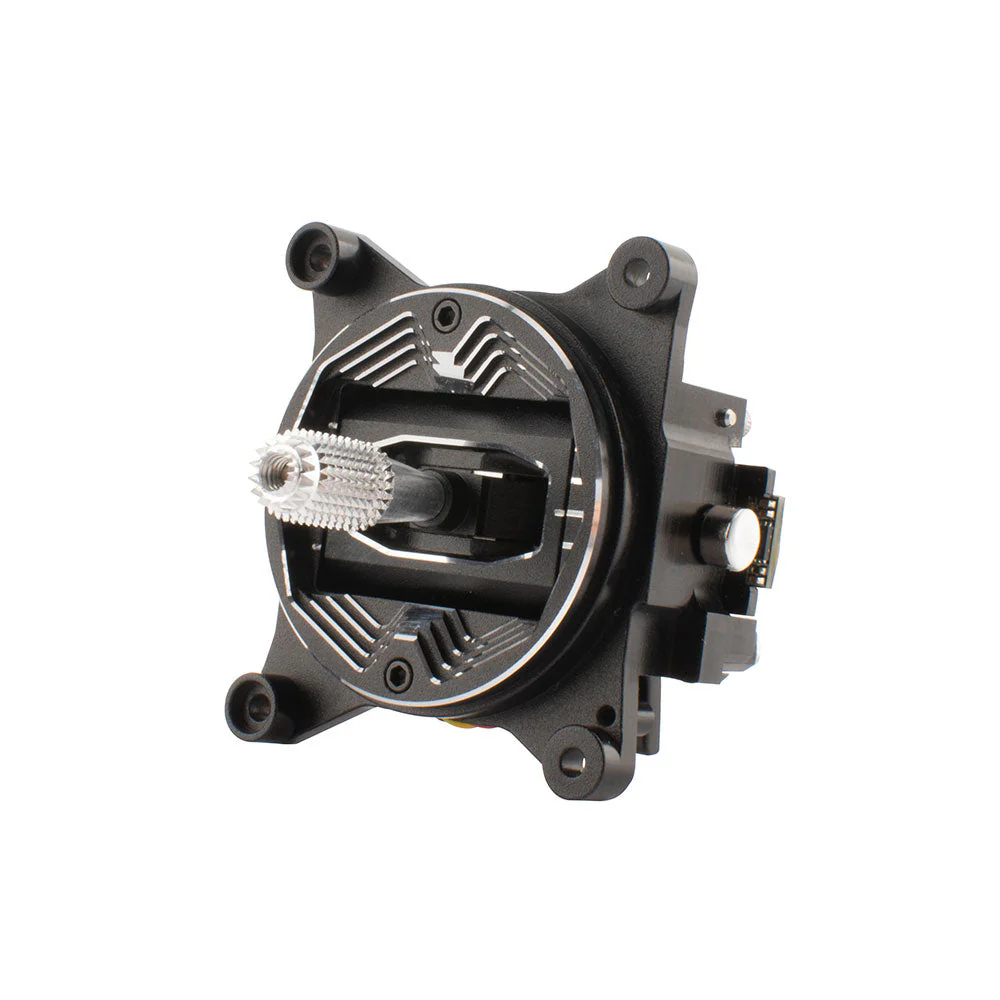
AG01 MINI CNC Hall Gimbals for TX12 & Zorro

Key Features
- Made with CNC processed aviation grade aluminum.
- Sticky360 Mini Gimbal Sticks as standard.
- Non contact hall sensors for accurate control inputs and precise centering.
- Quad precision bearings for unparalleled stick feel.
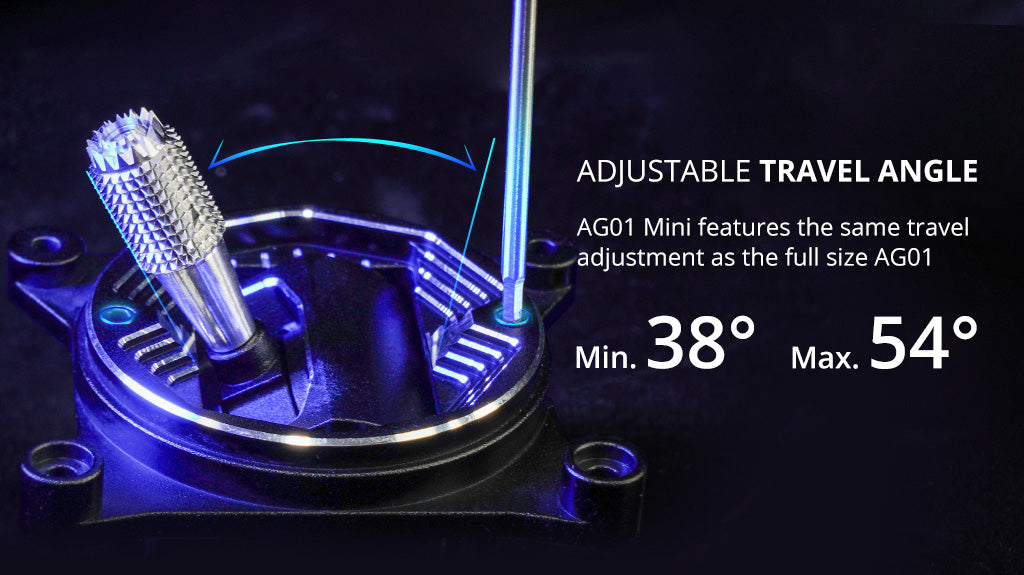
- Adjustable vertical travel angle (Min. 38°, Max. 54°).
- Custom designed for RadioMaster Zorro & TX12.
Specifications
- Name: AG01 Mini CNC Hall Gimbal
- Sensor type: Hall Sensor
- Working voltage: DC 3.3V
- Linearity: Real-time (No delay)
- Adjustable vertical travel range: 38°—54°
- Self-centering adjustment : Yes
- Easy mode adjustment
- Adjustable tension : Yes
- Quad bearing: Yes
- Temperature range: -20°C-85°C
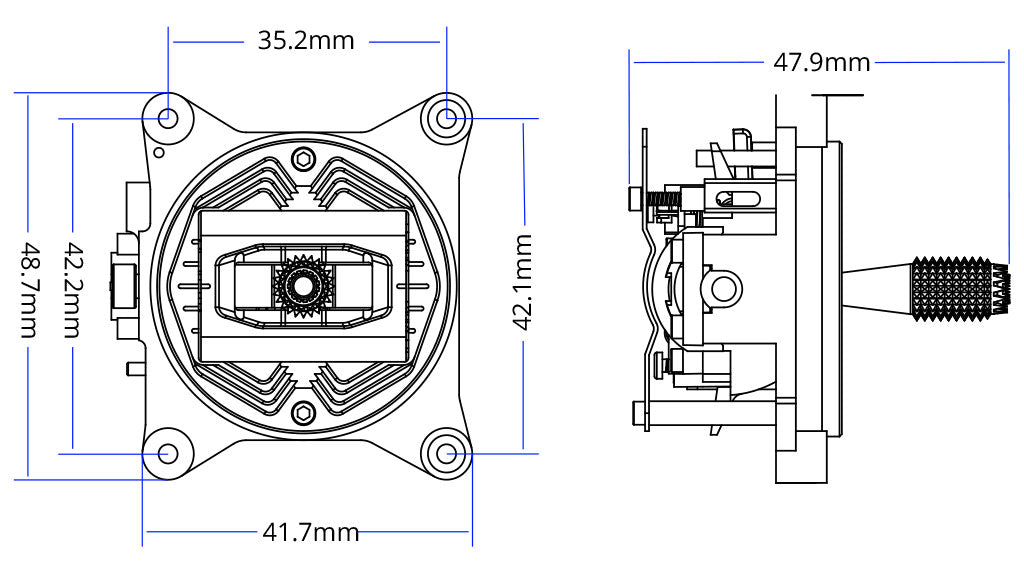
- Size: 49*42*48mm
- Weight: 42g(±0.3g)
Review by Nick Burns
AG01 MINI Key Features



Installation for Zorro & TX12
The AG01 Mini gimbals are shipped as self-centering by default and are compatible with both the Zorro and TX12 Radios.
For Zorro
The Zorro radio is configured as Mode 1 or Mode 2 by the screws mounted in the rear case of the radio. Both gimbals should be installed in self-centering configuration (as default out of the box) in the Zorro radio. Once the radio is re-assembled the screws in the rear case of the Zorro will set the throttle gimbal.
For TX12
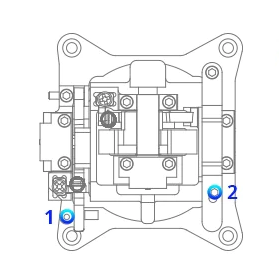
One gimbal must be set as throttle and one as self-centering before installation in the radio.
1. Use the included screw (see parts bag) to hold down the centering lever and set the gimbal as a throttle gimbal.
2. Adjust the throttle tension bar until the desired tension is achieved.
How to install AG01 MINI on Zorro
It’s not the easiest job to install these gimbals in the Zorro, but it’s doable with a little patience and planning. Thanks to Oscar Liang for the detailed graphic installation tutorial. Click here to check more details.
Size
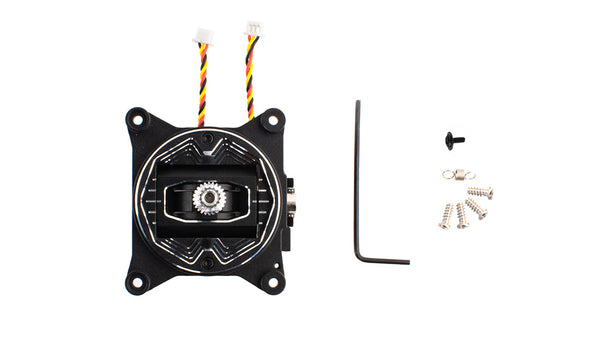
Package
- 1 * AG01 Mini Hall CNC Gimbal
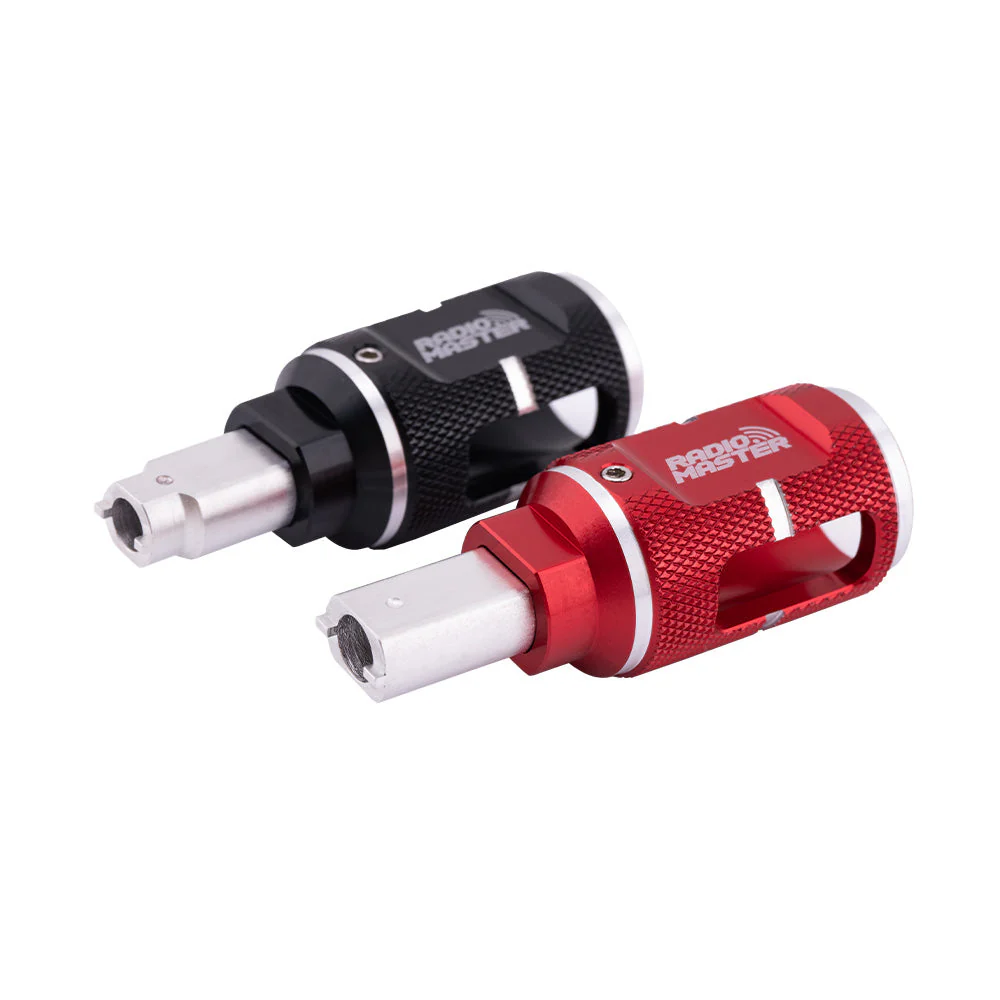
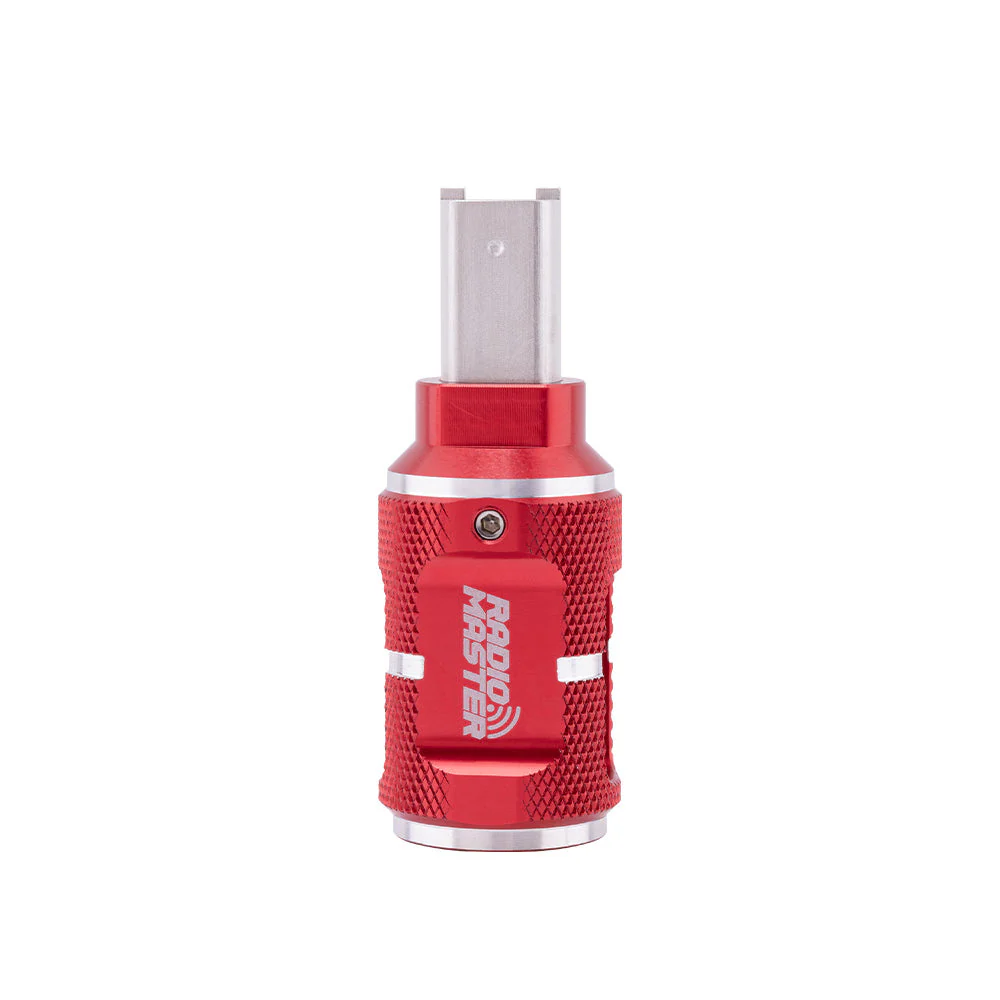
- 1 * Hex tool
- 4 * Installation screw
- 1 * Spare tension spring
- 1 * Throttle tension screw
or
- 2 * AG01 Mini Hall CNC Gimbal
- 2 * Hex tool
- 8 * Installation screw
- 2 * Spare tension spring
- 2 * Throttle tension screw
Key Features
- Made with CNC processed aviation grade aluminum.
- Sticky360 Mini Gimbal Sticks as standard.
- Non contact hall sensors for accurate control inputs and precise centering.
- Quad precision bearings for unparalleled stick feel.
- Adjustable vertical travel angle (Min. 38°, Max. 54°).
- Custom designed for RadioMaster Zorro & TX12.
Specifications
- Name: AG01 Mini CNC Hall Gimbal
- Sensor type: Hall Sensor
- Working voltage: DC 3.3V
- Linearity: Real-time (No delay)
- Adjustable vertical travel range: 38°—54°
- Self-centering adjustment : Yes
- Easy mode adjustment
- Adjustable tension : Yes
- Quad bearing: Yes
- Temperature range: -20°C-85°C
- Size: 49*42*48mm
- Weight: 42g(±0.3g)
Review by Nick Burns
AG01 MINI Key Features
Installation for Zorro & TX12
The AG01 Mini gimbals are shipped as self-centering by default and are compatible with both the Zorro and TX12 Radios.
For Zorro
The Zorro radio is configured as Mode 1 or Mode 2 by the screws mounted in the rear case of the radio. Both gimbals should be installed in self-centering configuration (as default out of the box) in the Zorro radio. Once the radio is re-assembled the screws in the rear case of the Zorro will set the throttle gimbal.
For TX12
One gimbal must be set as throttle and one as self-centering before installation in the radio.
1. Use the included screw (see parts bag) to hold down the centering lever and set the gimbal as a throttle gimbal.
2. Adjust the throttle tension bar until the desired tension is achieved.
How to install AG01 MINI on Zorro
It’s not the easiest job to install these gimbals in the Zorro, but it’s doable with a little patience and planning. Thanks to Oscar Liang for the detailed graphic installation tutorial. Click here to check more details.
Size
Package
- 1 * AG01 Mini Hall CNC Gimbal
- 1 * Hex tool
- 4 * Installation screw
- 1 * Spare tension spring
- 1 * Throttle tension screw
or
- 2 * AG01 Mini Hall CNC Gimbal
- 2 * Hex tool
- 8 * Installation screw
- 2 * Spare tension spring
- 2 * Throttle tension screw
Original: $59.99
-65%$59.99
$21.00Description
Key Features
- Made with CNC processed aviation grade aluminum.
- Sticky360 Mini Gimbal Sticks as standard.
- Non contact hall sensors for accurate control inputs and precise centering.
- Quad precision bearings for unparalleled stick feel.
- Adjustable vertical travel angle (Min. 38°, Max. 54°).
- Custom designed for RadioMaster Zorro & TX12.
Specifications
- Name: AG01 Mini CNC Hall Gimbal
- Sensor type: Hall Sensor
- Working voltage: DC 3.3V
- Linearity: Real-time (No delay)
- Adjustable vertical travel range: 38°—54°
- Self-centering adjustment : Yes
- Easy mode adjustment
- Adjustable tension : Yes
- Quad bearing: Yes
- Temperature range: -20°C-85°C
- Size: 49*42*48mm
- Weight: 42g(±0.3g)
Review by Nick Burns
AG01 MINI Key Features
Installation for Zorro & TX12
The AG01 Mini gimbals are shipped as self-centering by default and are compatible with both the Zorro and TX12 Radios.
For Zorro
The Zorro radio is configured as Mode 1 or Mode 2 by the screws mounted in the rear case of the radio. Both gimbals should be installed in self-centering configuration (as default out of the box) in the Zorro radio. Once the radio is re-assembled the screws in the rear case of the Zorro will set the throttle gimbal.
For TX12
One gimbal must be set as throttle and one as self-centering before installation in the radio.
1. Use the included screw (see parts bag) to hold down the centering lever and set the gimbal as a throttle gimbal.
2. Adjust the throttle tension bar until the desired tension is achieved.
How to install AG01 MINI on Zorro
It’s not the easiest job to install these gimbals in the Zorro, but it’s doable with a little patience and planning. Thanks to Oscar Liang for the detailed graphic installation tutorial. Click here to check more details.
Size
Package
- 1 * AG01 Mini Hall CNC Gimbal
- 1 * Hex tool
- 4 * Installation screw
- 1 * Spare tension spring
- 1 * Throttle tension screw
or
- 2 * AG01 Mini Hall CNC Gimbal
- 2 * Hex tool
- 8 * Installation screw
- 2 * Spare tension spring
- 2 * Throttle tension screw